
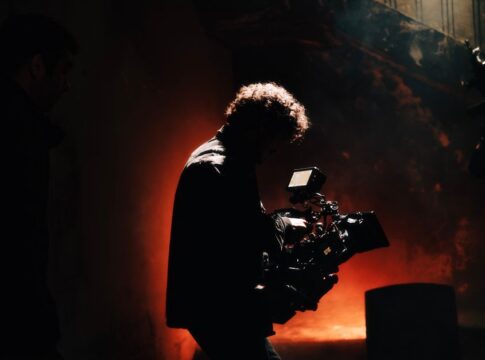
How CGI Movie Effects Work: The Technology Explained
By TrivCentral, Staff Writer — Published August 24, 2026
Table of Contents
- Key Takeaways
- How Movie Effects Work: From Concept to Screen
- The Mathematics Behind Digital Creation
- Rendering: Where Computation Meets Artistry
- Motion Capture and Performance Translation
- Compositing: Assembling the Final Image
- Frequently Asked Questions
When a dragon swoops across the screen or an entire city crumbles in spectacular fashion, audiences rarely pause to consider the invisible army of artists and technicians behind the spectacle. Computer-generated imagery has transformed cinema from practical explosions and puppetry into digital wonderlands where the impossible becomes routine. Understanding how movie effects work reveals a fascinating blend of art, mathematics, and technological innovation that turns blank green screens into believable alternate realities.
The process involves far more than simply drawing pictures on a computer. Each frame of CGI requires complex calculations simulating physics, light behavior, and material properties. A single second of film contains 24 frames, and a two-hour movie with extensive effects might require years of computational work distributed across thousands of processors.
Key Takeaways
- CGI relies on 3D modeling, where digital artists build virtual objects using millions of polygons that form mesh structures, similar to sculpting with mathematical shapes.
- Rendering—the process of converting 3D models into final images—can take hours per frame, with complex scenes in films sometimes requiring over 100 hours of computation for a single frame.
- Motion capture technology records real human movements and translates them onto digital characters, using reflective markers tracked by dozens of specialized cameras.
- Photorealistic CGI depends on accurately simulating how light bounces, refracts, and scatters through different materials using ray tracing algorithms.
- Green screens work because the bright green color is easily isolated and removed digitally, allowing artists to replace backgrounds without affecting actors wearing different colors.
- Modern blockbusters can involve over 2,000 visual effects shots, each requiring coordination between multiple departments from modeling to final compositing.
How Movie Effects Work: From Concept to Screen
The journey from script to finished effect begins with previsualization, where artists create rough animated versions of complex scenes. Directors use these “previs” sequences to plan camera angles and timing before expensive filming begins. This digital storyboarding has become standard practice for action sequences and effects-heavy moments.
On set, actors perform against green or blue screens while markers and reference objects help effects artists understand scale and perspective. Tennis balls on sticks often stand in for creatures or flying objects, giving actors something to focus on. The color choice matters: green screens dominate because digital cameras are most sensitive to green light, and human skin tones contain minimal green, making separation cleaner.
Tracking markers—small dots placed strategically in the scene—allow software to understand camera movement and perspective. As the camera moves, these markers help computers calculate exactly how digital elements should shift and change to match the real-world physics of the shot. Without accurate tracking, CGI characters would appear to float unnaturally or fail to interact convincingly with their environment.
The Mathematics Behind Digital Creation
Every CGI object begins as a 3D model constructed from polygons, typically triangles or quadrilaterals. Simple objects might use hundreds of polygons, while complex characters can incorporate millions. Modelers manipulate vertices—the points where polygon edges meet—to shape everything from facial features to architectural details.
Texturing comes next, where artists apply surface details including color, roughness, and reflectivity. A wooden table requires texture maps showing grain patterns, wear marks, and how light should scatter across its surface. These maps don’t simply paint the model; they provide mathematical instructions for how the surface behaves under different lighting conditions.
Rigging transforms static models into movable characters by creating a digital skeleton. Animators manipulate control points, and the model deforms naturally around this invisible framework. Facial rigs for realistic characters can include hundreds of control points, allowing subtle expressions that convey emotion. The process mirrors how real skeletons and muscles work, but requires artists to manually define every relationship and constraint.
Rendering: Where Computation Meets Artistry
Rendering converts 3D scenes into final 2D images through intensive mathematical calculations. Ray tracing, the gold standard for photorealism, simulates individual light rays bouncing through a scene. The algorithm calculates how each ray interacts with surfaces—reflecting off mirrors, refracting through glass, scattering through fog—until it reaches the virtual camera.
The computational cost explains why rendering takes so long. A single ray might bounce dozens of times, and each pixel in a high-resolution image requires tracing multiple rays to capture accurate lighting and avoid jagged edges. Render farms—warehouses filled with thousands of connected computers—distribute this workload, processing different frames simultaneously.
Global illumination adds another layer of complexity by simulating indirect light. When sunlight hits a red wall, that wall reflects reddish light onto nearby objects. Calculating these subtle color shifts and shadow variations requires even more processing power but produces the natural lighting that makes CGI believable. Early computer graphics lacked global illumination, giving scenes a flat, artificial appearance that modern audiences would immediately recognize as fake.
Motion Capture and Performance Translation
Motion capture technology records real performances and applies them to digital characters. Actors wear suits covered in reflective markers while dozens of infrared cameras track each marker’s position hundreds of times per second. Software triangulates these positions, creating a 3D map of the performer’s movement.
Facial motion capture uses different techniques, often employing head-mounted cameras focused on the actor’s face. Tiny dots painted on facial features help software track even subtle movements like eyebrow raises or lip curls. This data drives the digital character’s facial rig, translating human expression into creature or alien performances.
The technology isn’t perfect translation—it requires cleanup and refinement. Technical directors adjust captured data to remove jitters, extend movements beyond human limitations when needed, or adapt human proportions to differently-shaped digital bodies. A human actor’s motion might drive a creature with different limb lengths, requiring mathematical adjustments to maintain natural-looking movement.
Compositing: Assembling the Final Image
Compositing combines all elements—live footage, CGI characters, digital environments, effects like smoke or fire—into seamless final shots. Artists work in layers, adjusting how each element interacts with others through blending modes and masks. Color grading ensures CGI elements match the lighting and film quality of practical footage.
Edge work proves particularly challenging. Where digital characters meet real backgrounds, artists must create believable interactions—shadows falling correctly, slight color bleeding where light wraps around forms, and motion blur matching the camera’s shutter speed. These subtle details separate convincing effects from obvious fakes.
| Effect Type | Primary Technique | Typical Use Cases |
|---|---|---|
| Character Animation | 3D modeling + motion capture | Digital creatures, crowds, de-aging actors |
| Environment Extension | Matte painting + 3D projection | Expanding sets, creating distant cityscapes |
| Destruction Simulation | Physics engines + particle systems | Building collapses, explosions, debris |
| Fluid Effects | Computational fluid dynamics | Water, smoke, fire, magical energy |
| Digital Makeup | 2D compositing + tracking | Removing wires, erasing blemishes, adding wounds |
Frequently Asked Questions
How long does it take to render a single frame of CGI?
Simple scenes might render in minutes, but complex photorealistic frames can require 50 to 100+ hours of computation per frame. Studios use massive render farms with thousands of processors working simultaneously to complete films within reasonable timeframes.
Why do filmmakers use green screens instead of other colors?
Green screens work best because digital cameras are highly sensitive to green light, allowing cleaner separation between foreground and background. Blue screens serve as alternatives when actors wear green costumes, though green has become the standard for most productions.
Can audiences tell the difference between practical and digital effects?
Modern CGI can be indistinguishable from reality when executed well, though poorly done effects remain obvious. Many “invisible effects”—digital set extensions, wire removals, and background replacements—go completely unnoticed by viewers who assume everything was filmed practically.
How many people typically work on visual effects for a major film?
Large-scale productions often employ hundreds to over a thousand visual effects artists across multiple studios. These teams include modelers, animators, texture artists, lighting specialists, compositors, and technical directors, each contributing specialized skills to the final product.
The next time a superhero soars across the screen or an alien world unfolds in intricate detail, consider the mathematical precision and artistic vision converging in every pixel. What appears as movie magic is actually thousands of hours of human creativity amplified by computational power, transforming impossible visions into experiences that feel undeniably real.